

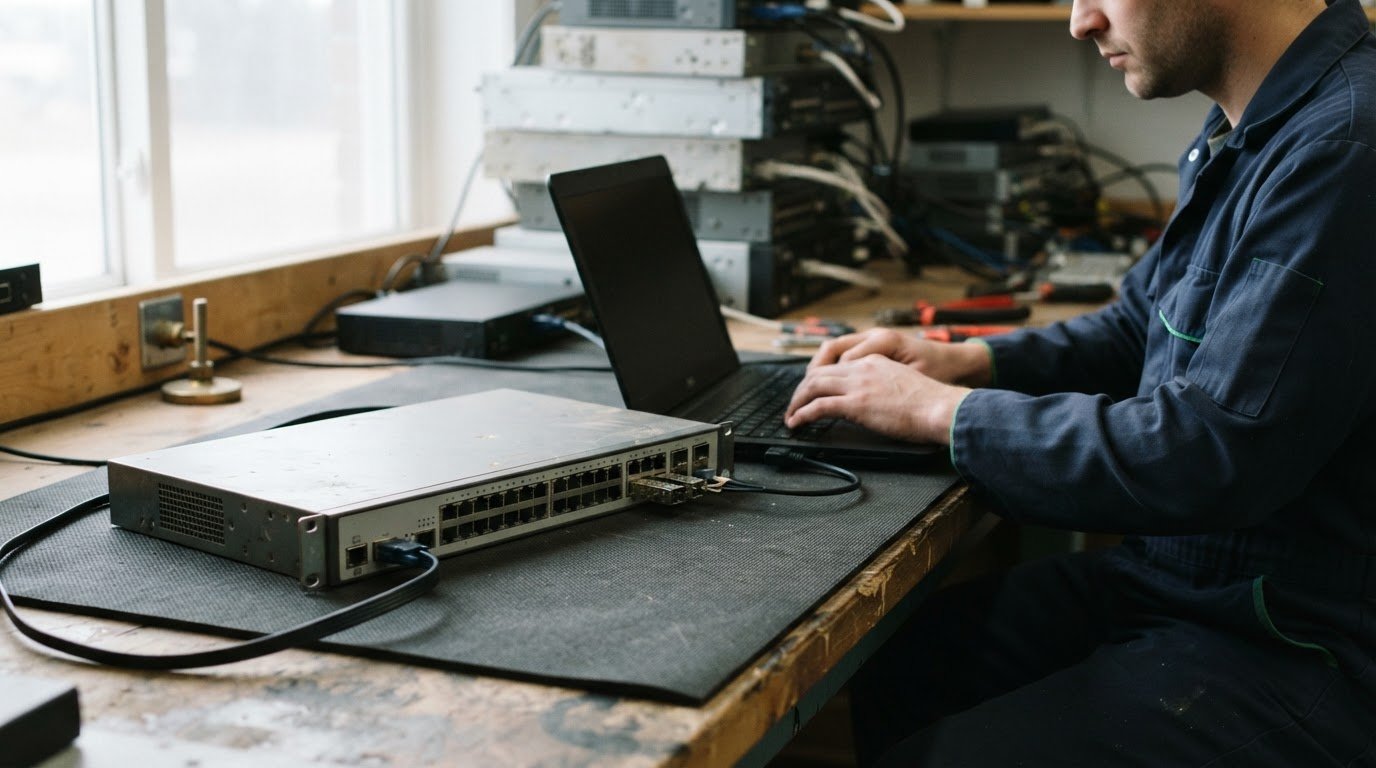
A reset alone may not remove every trace of a switch’s configuration. Clearing configuration data from decommissioned network switches involves preserving required records, removing stored settings and access credentials, then selecting and documenting a sanitization method suited to the device’s storage and intended next use.
A cleared device may seem ready for reuse or disposal, but configuration files, VLAN data, certificates and external access settings can require separate attention. A careful process protects organizational information and helps equipment move responsibly to its next destination.
This guide explains what professionals back up, which settings and access points they address, how they erase and assess switch storage, and what to agree on before pickup. It also covers when secure data destruction is appropriate for equipment that will not return to service.
Key Takeaways
- Preserve a copy of the switch’s configuration before erasure so it remains available for reference or investigation.
- Account for certificates, remote-access settings and VLAN data, which may require separate attention from the startup configuration.
- Match the sanitization method to the switch’s storage and intended next use, and document the work performed.
- Plan secure data destruction alongside responsible electronics recycling when the switch will not return to service.
How professionals remove device certificates and other external access
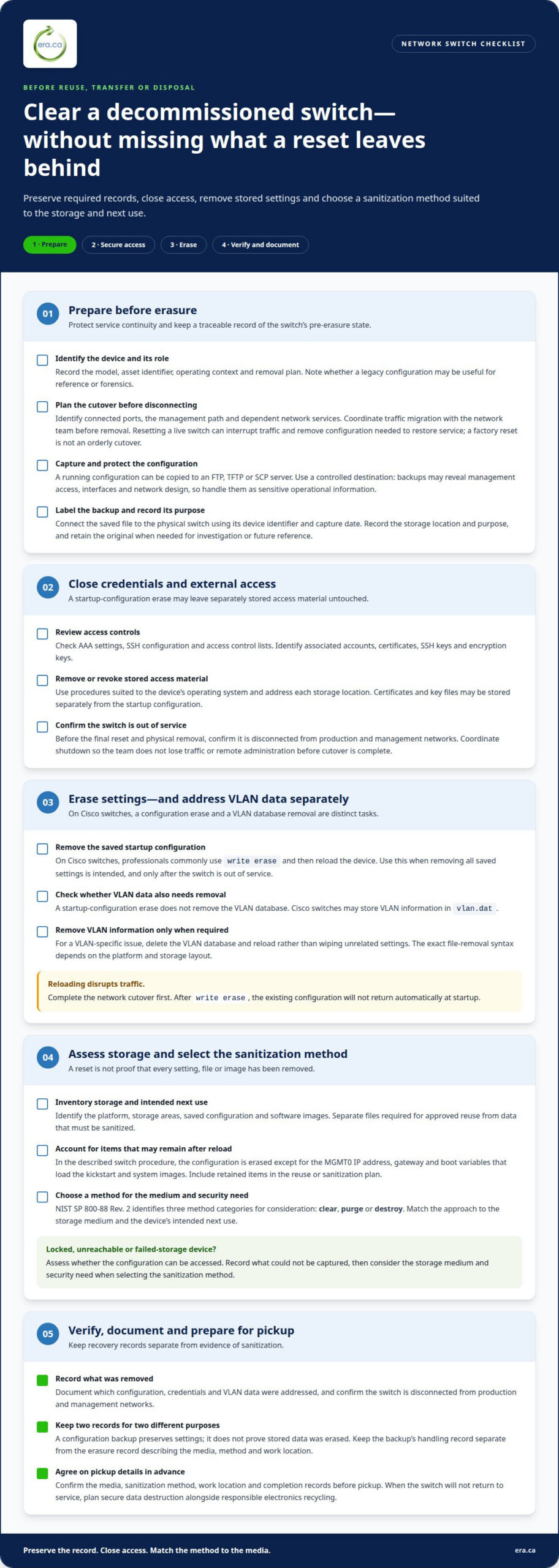
- Plan the cutover before removal. Professionals identify the switch, connected ports, management path and dependent network services. They coordinate traffic migration before disconnecting the device, then schedule its removal with the network team. Resetting a live switch can interrupt traffic and remove the configuration needed to restore service. A factory reset is not a substitute for an orderly cutover.
- Revoke access and remove stored credentials. Professionals review AAA settings, SSH configuration and access control lists. They identify accounts, certificates, SSH keys and encryption keys associated with the device, then remove or revoke them using procedures suited to its operating system. A startup-configuration erase alone may not remove separately stored certificate or key files, so each storage location needs attention.
- Erase the startup configuration. On Cisco switches, professionals commonly use
write eraseto remove the saved startup configuration, then reload the device. This command removes configuration, but it does not remove the VLAN database. Before reloading, the team confirms the switch is out of service and records any settings needed for an approved transition. - Remove VLAN data separately when required. Cisco switches may store VLAN information in
vlan.dat, which a startup-configuration erase does not remove. For a VLAN-specific issue, professionals delete the VLAN database and reload, rather than wiping unrelated settings. The exact file-removal syntax depends on the device’s platform and storage layout. - Verify access is closed before physical removal. Professionals confirm the switch is disconnected from production and management networks, and review the relevant AAA, SSH and access-control settings. Resetting too early can disrupt traffic or cut off remote administration before the cutover is complete. The team coordinates the final shutdown and documents which configuration, credentials and VLAN data were removed.
Backing up switch configuration before a professional erasure
- Identify the device and its role. Professionals record the switch model, asset identifier, operating context and removal plan before starting a backup. They confirm whether it carries a tangled legacy configuration that may be useful for reference or forensics. This record connects the saved file to the correct physical device and informs the erasure plan.
- Capture the configuration before wiping. Administrators can copy a decommissioned switch’s running configuration to an FTP, TFTP or SCP server. The chosen destination should be controlled and appropriate for sensitive network settings. A backup may contain details about management access, interfaces and network design, so professionals handle it as sensitive operational information.
- Preserve and identify the backup. Professionals label the file with the device identifier and capture date, then record its storage location and purpose. They retain the original configuration when it may support an investigation or future reference. This creates a traceable link between the switch, its pre-erasure state and the approved retention decision.
- Account for inaccessible devices. If a switch is locked, unreachable or affected by failed storage, professionals assess whether its configuration can be accessed before selecting the next step. They document what could not be captured and consider the storage medium and security need when choosing a sanitization method. NIST SP 800-88 Rev. 2 identifies clear, purge or destroy as method categories.
- Separate recovery records from sanitization evidence. A configuration backup preserves settings; it does not prove that the device’s stored data was erased. Professionals keep the backup’s handling record separate from the erasure record, which describes the media, method and work location. Before pickup, they agree on the media, sanitization method, work location and completion records.
How professionals erase images, configuration files, and switch settings
- Inventory the storage and intended use. Professionals identify the switch platform, its storage areas, saved configuration and software images. They distinguish files needed for approved reuse from data that must be sanitized. This matters because a configuration reset and storage sanitization address different information and may require separate procedures.
- Remove saved settings deliberately. On Cisco switches,
write eraseremoves the startup configuration. Professionals use it only when removing all saved settings is intended, not as a routine action on an active production device. They account for separate files, includingvlan.dat, which the startup-configuration erase does not remove. - Schedule the reload after service cutover. A reload following
write erasedisrupts traffic through the switch. The existing configuration will not return automatically after startup. Professionals therefore complete the network cutover before reloading and document the operational impact for the affected team. - Check what remains after reload. On the described switch procedure, the configuration is erased except for the MGMT0 IP address, gateway and boot variables that load the kickstart and system images. Professionals account for these retained items when planning sanitization or reuse, rather than treating a reset as proof that every setting and image is gone.
- Match storage sanitization to the security need. NIST SP 800-88 Rev. 2 identifies clear, purge or destroy methods for consideration based on storage medium and security need. Professionals also consider whether the selected method covers remapped or spare storage areas, where applicable. The storage type and sensitivity of the information guide the method.
- Prepare the device for its next destination. For reuse, professionals load a clean configuration built offline and thoroughly tested in a lab. For decommissioning, they record which settings and files were addressed, alongside the selected sanitization method. This distinguishes a factory setup from a device whose storage has undergone an appropriate wipe.
How professionals securely wipe switches before repurposing or decommissioning
Secure decommissioning combines a suitable sanitization method, documented verification and a planned next destination. In Canada, organizational privacy obligations and the information involved shape the process.
- Define the data and sanitization scope. Professionals identify the switch, its storage medium and the information it may hold. For Canadian organizations, the applicable privacy obligations depend on the organization and information handled, so the plan accounts for retention needs before erasure. NIST SP 800-88 Rev. 2 identifies clear, purge or destroy methods according to storage medium and security need.
-
How Professionals Securely Wipe the Switch
Choose the sanitization method before processing the device. Professionals erase configuration data, explicitly remove
vlan.datwhere applicable, then power-cycle the switch. They do not treat a startup-configuration reset as a complete storage wipe. For reuse, they load a clean configuration built offline and tested in a lab; decommissioned equipment follows its disposition plan. -
How Professionals Verify the Switch Wipe
Record the method, storage scope, work location and completion evidence. Professionals verify that the procedure addressed the intended configuration and storage areas, including remapped or spare areas where applicable. Reloading the switch to clear volatile running configuration does not, by itself, prove that all storage was sanitized. The final record links the switch identifier to the method performed and verification completed.
- Coordinate secure disposition in Canada. Confirm the intended outcome, whether reuse or decommissioning, and document who receives the equipment after processing. For disposal, secure data destruction addresses the information risk; electronics recycling supports responsible handling of the retired device. Arrange the handoff only after the sanitization scope and required completion records are agreed. Arrange secure data destruction for switches leaving service.
Electronic Recycling Association (ERA): Secure data destruction
The Electronic Recycling Association (ERA) provides secure data destruction for organizations retiring network switches that should not return to service with stored information intact. This is a practical next step after administrators complete the network cutover and identify equipment for decommissioning.
Pair data protection with responsible equipment handling. ERA also provides free electronics recycling and pickup, while charitable computer donations can help suitable computer equipment support community needs. These options link secure information handling with a purposeful route for retired electronics.
Contact Electronic Recycling Association (ERA) to discuss secure data destruction for decommissioned switches.
Build a cleaner path for the next equipment refresh
Make switch retirement part of the equipment lifecycle plan, rather than a task left until shutdown day. During refresh planning, assign responsibility for final disposition and coordinate the handoff with network operations, information security and asset management. This gives each team a clear role before equipment leaves service and helps prevent retired hardware from returning to inventory without a defined status.
For teams documenting how to clear configuration data from decommissioned network switches, keep the approved process with the asset-management workflow. Update it when device types or organizational requirements change, so future refreshes begin with current responsibilities and a known handoff path. When a switch is ready to leave service, Contact Electronic Recycling Association (ERA) to discuss secure data destruction. A thoughtful next step helps protect information and supports responsible electronics handling in the community.
Frequently Asked Questions
How do professionals securely erase configuration data from a decommissioned network switch?
To clear configuration data from decommissioned network switches, professionals match the sanitization process to the device’s storage and intended destination. They distinguish a configuration reset from storage sanitization, since a reset alone may not address every data location. The final record identifies the device, method and disposition, helping asset records reflect its status.
How do professionals back up switch configuration before wiping it?
Professionals copy the running configuration to a controlled FTP, TFTP or SCP server before erasure. They label the saved file with the switch’s asset identifier and restrict access because configurations can reveal network design and management details. If the file is needed for investigation or reference, its retention and eventual deletion should follow the organization’s records process.
How do professionals factory reset Aruba, Juniper, and HPE network switches?
Professionals identify the exact model and operating system before choosing a factory-reset procedure. Aruba, Juniper and HPE devices may use different commands and reset behaviours across product families, so a command for one model should not be assumed to work on another. After the reset, the technician checks the device’s resulting setup state and records the procedure used.
How do professionals securely erase flash storage on network switches that will be sold or reused?
Professionals choose a sanitization method based on flash storage and information sensitivity, not just a factory reset. A documented process for clearing configuration data from decommissioned network switches also accounts for remapped or spare areas where applicable. Technicians record the work before custody changes, then distinguish sanitization from loading the clean operating configuration needed for the switch’s next role.